Installing the Accertify Account Protection Action
The Action installs like any other Auth0 Marketplace integration. Auth0 adds it to your tenant with Accertify's code already in place. Install and verify it on a test tenant before you turn it on in production. See Prerequisites for Auth0 and Account Protection[Prerequisites for Accertify Account Protection for Auth0].
To install:
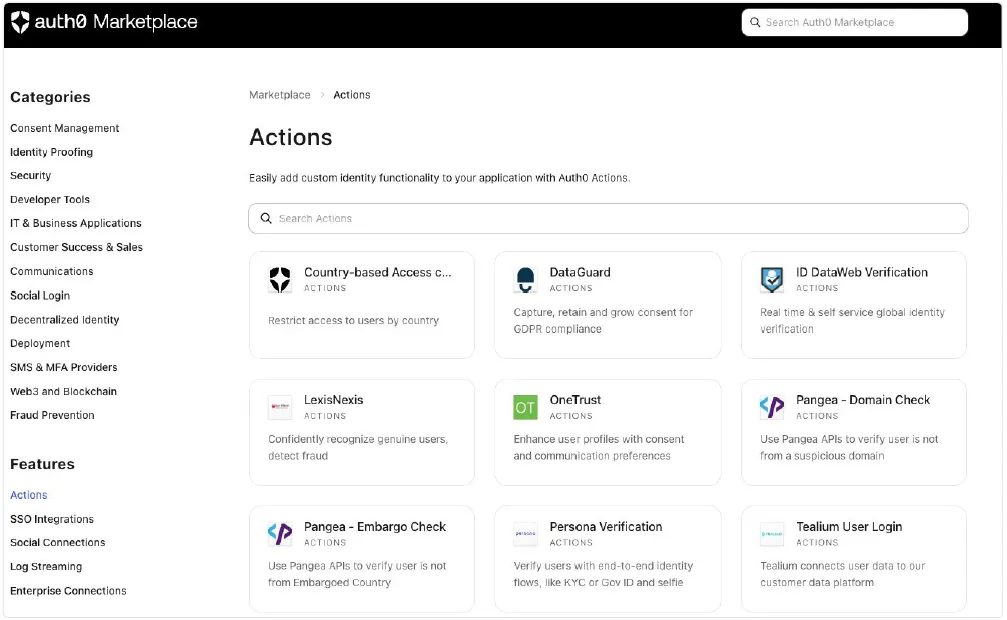
In the Auth0 Dashboard, open Marketplace (or go to https://marketplace.auth0.com). Under Features, select Actions, then search for Accertify Account Protection.
Select Add Integration.
Review the access requirements and select Continue.
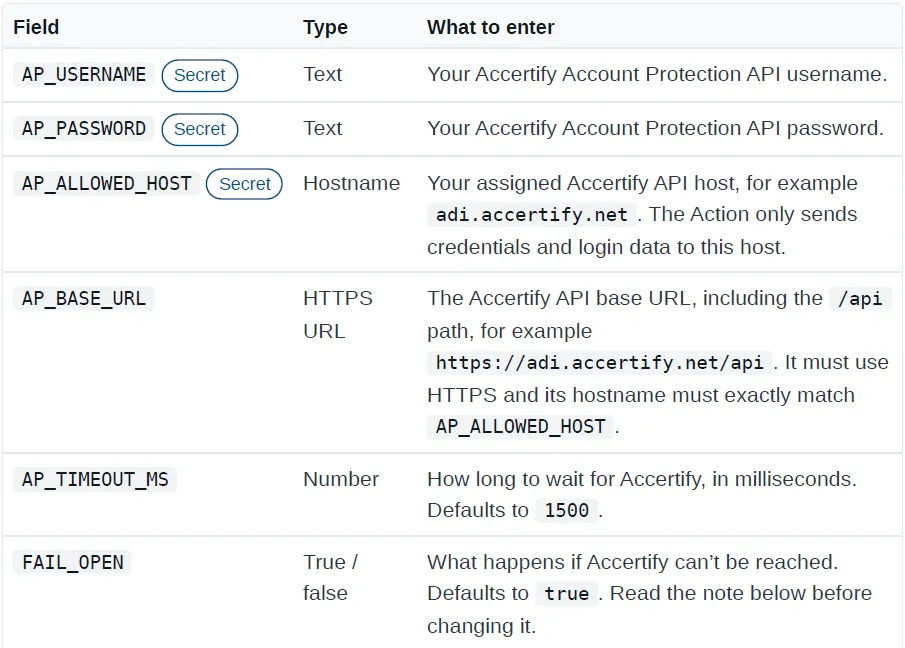
Enter the six settings on the install screen. Auth0 stores the secret ones in the Action's secure store, so you don't need to open the Action's code editor. For what to enter, see Account Protection Action Settings[Accertify Account Protection Action Settings].
Select Create to add the integration to your Actions Library.
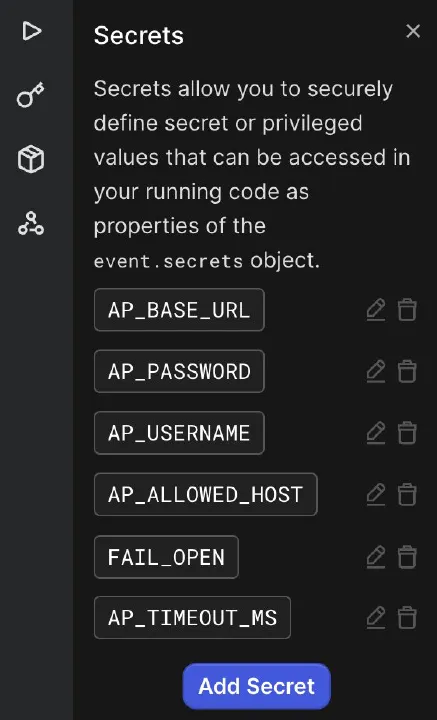
Expected result: The Accertify Account Protection integration is added to your Actions Library.
Next Steps
Continue with the Login flow:
- Add the Action to the Login flow: Adding the Account Protection Action to the Login Flow[Adding the Accertify Account Protection Action to the Login Flow]
See also:
Prerequisites for Auth0 and Account Protection[Prerequisites for Accertify Account Protection for Auth0]
Account Protection Action Settings[Accertify Account Protection Action Settings]
Adding the Account Protection Action to the Login Flow[Adding the Accertify Account Protection Action to the Login Flow]