Adding the Account Protection Action to the Login Flow
The Post Login trigger runs after the user's credentials are validated, so no other placement is needed.
To add:
In the modal that appears after you select Create, select Add to flow. If you closed it, go to Actions → Triggers and select post-login.
In the Add Action panel on the right, open the Installed tab, find Accertify Account Protection, and drag it between Start and Complete.
Select Apply Changes.
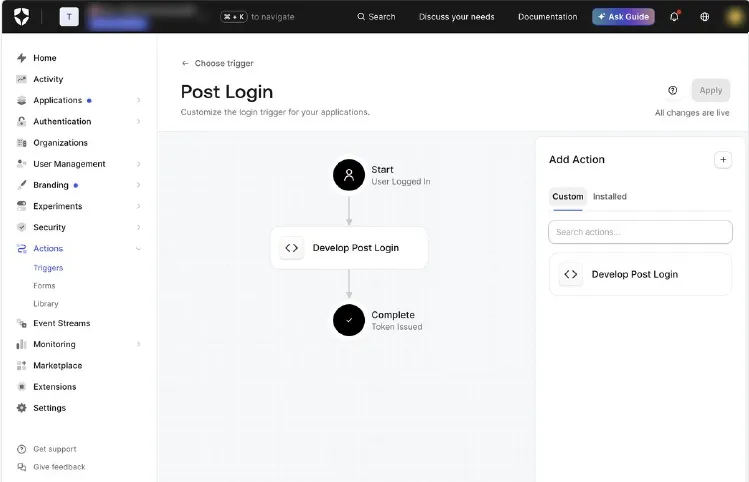
Expected result: The Action appears between Start and Complete in Actions → Triggers → post-login, and changes are applied.
Next Steps
Continue with:
- Verify the login setup: Verifying the Account Protection Login Setup[Verifying the Accertify Account Protection Login Setup]
- Screen new account sign-ups: Sign-Up Screening Coverage for Auth0[Sign-Up Screening Coverage for Auth0]
See also:
Installing the Accertify Account Protection Action[Installing the Accertify Account Protection Action from the Auth0 Marketplace]
Verifying the Account Protection Login Setup[Verifying the Accertify Account Protection Login Setup]