Verifying the Account Protection Login Setup
Work through this list on your test tenant.
To verify:
Confirm that the integration was installed from the Auth0 Marketplace, not by pasting code.
Confirm that all six settings are filled in, and that the hostname of AP_BASE_URL matches AP_ALLOWED_HOST.
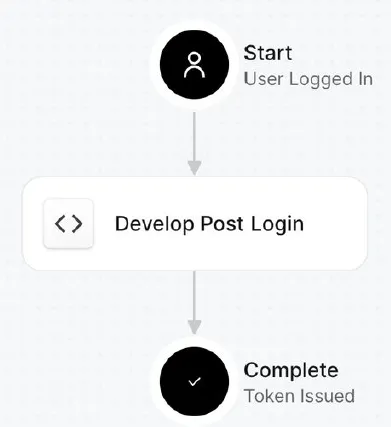
Confirm that the Action appears between Start and Complete in Actions → Triggers → post-login, and that changes are applied.
Confirm that the Accertify collector is running on your login page.
Confirm that your /authorize call includes both IDs: ext-deviceTransactionID and ext-ubaID. In your browser's Network tab, the /authorize request URL shows the ext- values. The Action doesn't write them to Auth0's logs, so check from the browser.
Confirm that FAIL_OPEN is set to match your risk tolerance.
Expected result: Every item in the list is confirmed on your test tenant.
Next Steps
If a check fails, or to continue:
- Troubleshoot the integration: Troubleshooting Account Protection for Auth0[Troubleshooting Accertify Account Protection for Auth0]
- Screen new account sign-ups: Sign-Up Screening Coverage for Auth0[Sign-Up Screening Coverage for Auth0]
See also:
Passing Device and Behavioral IDs to Auth0 at Login[Passing Device and Behavioral IDs to Auth0 at Login]
Account Protection Action Settings[Accertify Account Protection Action Settings]